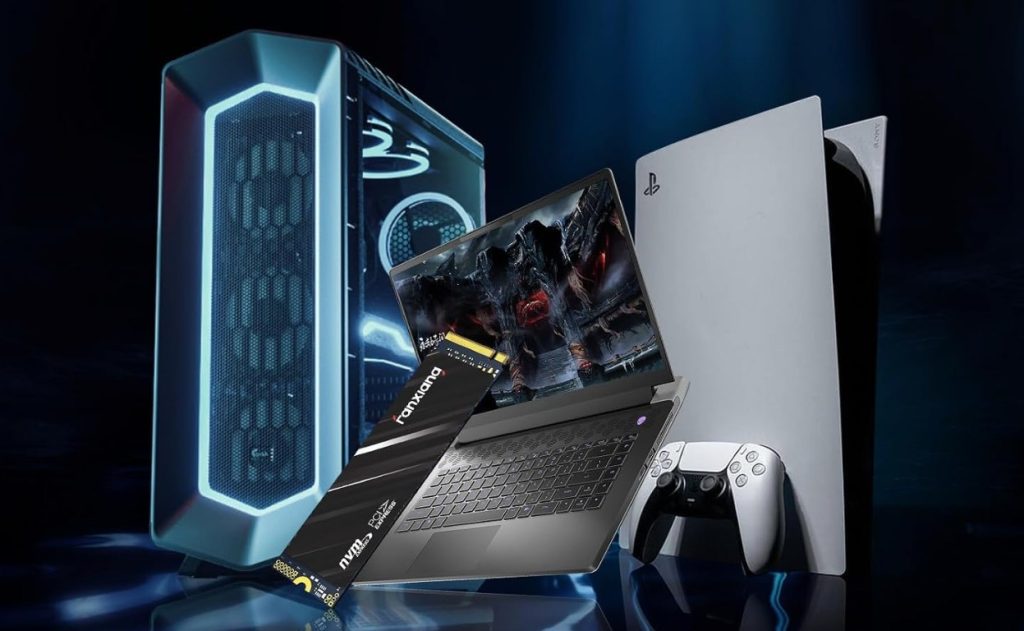

Quick answer: fanxiang sells budget NAND that punches above its price — and a failure tail that makes the backup habit the actual product. The S101 256GB SATA ($45.99, 23,775 ratings) is the boring workhorse: HDD swaps, silent camera hubs, even 2006 MacBooks. The 2TB NVMe Gen4 ($297.99, 1,541 ratings) is October’s earner here ($11.91): benchmarks that beat one owner’s Samsung 980 Pro by ~15%, a 15-second boot, screw and screwdriver sealed in the box — and two-year deaths, READ-ONLY lockups and lost files quoted straight below. The S500 Pro 256GB NVMe ($56.99, 6,440 ratings) is the resurrection drive that diagnosed a dead Lenovo as a hot factory SSD. Buy the backup habit, not the benchmarks.
The three-drive lineup
The US feed runs 98 listings across SATA, Gen3 and Gen4 NVMe. These three are the deep-pool SATA, the resurrection Gen3, and October’s conversion-earning Gen4.

fanxiang S101 256GB SATA SSD
The value floor of the brand: 4.5 over 23,775 ratings at $45.99 — the SATA drive for machines that will never see a Gen4 slot. The pool’s use cases run from the practical to the archaeological: a failing mechanical drive replaced in a coworker’s PC with night-and-day results; a multi-camera loop-recording hub running silent with no spinning-disk noise (953GB usable after formatting, called normal and roomy); and the endurance outlier — two of these 256GB drives dropped into a 2006 white MacBook and a 2008 aluminum, still fast, still reliable. The honest install note: one owner’s PC wouldn’t recognize the drive until an NTFS format — a few hours of troubleshooting, quoted below, not a defect but worth knowing before you assume DOA.
- vintage-Mac survivor — 2006 and 2008 MacBooks, still top-notch
- loop-recording quiet — no spin, no heat — 953GB usable after format
- TeamGroup trajectory — the budget-brand-mades-good comparison
- NTFS first, panic later — no recognition until formatted — documented

fanxiang S500 Pro 256GB NVMe Gen3
The budget NVMe for old laptops: 4.5 over 6,440 ratings, Gen3x4, $56.99. The pool’s best story is a diagnosis, not a benchmark: a Lenovo Flex 5 that had already eaten one main-board replacement and read as dead — the owner gambled this drive’s price on an experiment, found the factory SSD running very hot, swapped in twice the capacity that now runs much cooler, and brought the machine back with Windows 11. Another owner brought an old machine back to life and correctly sets expectations: not the fastest drive on the market, but fast for boot and software. The same box niceties (screw, screwdriver) earn a five-star from a buyer who returned the drive for unrelated reasons but rated the experience five stars anyway. The pool’s hardest one-star is also here — two 2TB Gen3 drives, both dead, and a warranty process he could find no way to start — quoted straight in the review section.
- Lenovo resurrection — dead laptop, thermal diagnosis, back alive
- right expectations — fast for boot, not market-leading — the owner says so
- box niceties earned a 5★ — from a buyer who returned the product
- warranty 1★ exists — no contact path found — the floor, quoted

fanxiang 2TB NVMe Gen4 (PS5-rated)
October’s top commission here ($11.91) and the pool’s most benchmarked drive: 4.4 over 1,541 ratings, PCIe Gen4 at up to 5,000 MB/s, aimed at PS5 upgrades and desktop boot duty. The speed case is real: one owner measured it beating his Samsung 980 Pro by about 15% in benchmarks; another saw a 15-second startup after an iMac swap; a third found apps launching noticeably quicker than on his WD Blue NVMe. The packaging story the pool keeps repeating: screw and screwdriver included, the tiny M.2 screw sealed on a quality sticker so it doesn’t get lost — one owner contrasted it with an Asus drive that sent him hunting for an hour. The honest floors, quoted below and not hidden: that same WD-Blue-comparison reviewer’s drive died at just under two years; another owner’s drive locked into READ-ONLY mode after one file transfer; a third lost 13 years of files six hours-a-week into light use. Fast and cheap — with a documented failure tail that makes the backup habit non-optional.
- beats a 980 Pro ~15% — benchmarks, one owner’s measurement
- 15-second boot — the iMac-upgrade result
- screw + screwdriver in box — sealed on a sticker — better than Asus
- 1.8TB usable, no heatsink — capacity math and Gen4 heat, both honest
Which fanxiang, which slot
Match the drive to the machine — and the backup habit to the drive.
The old laptop — S500 Pro ($56.99)
Gen3 budget NVMe: resurrect a dead machine, run cooler than the factory SSD, expect boot speed not records.
The aging desktop — S101 SATA ($45.99)
2.5-inch slot, 23,775 ratings of quiet mechanical-drive replacement, vintage-Mac approved.
The PS5 / Gen4 build — 2TB NVMe ($297.99)
October’s earner, 980-Pro-beating benchmarks, heatsink not included — and the backup habit mandatory.
Side by side
Prices, ratings and rating counts from the brand’s affiliate feed at time of writing.
| S101 256GB SATA | S500 Pro 256GB NVMe | 2TB NVMe Gen4 | |
|---|---|---|---|
| Price | $45.99 | $56.99 | $297.99 |
| Rating history | 4.5 · 23,775 | 4.5 · 6,440 | 4.4 · 1,541 |
| Interface | SATA III, 2.5″ | NVMe Gen3x4, M.2 | NVMe Gen4, M.2 (PS5) |
| Documented use | HDD swap, camera hubs, 2006-08 Macs | Laptop resurrection | PS5, iMac boot, desktop |
| Heatsink included | — | No (buy one for Gen4) | No |
| October conversions | — | — | $11.91 |
Not the right pick if… this drive is your only copy. The pool’s failure record is specific: a drive faster than a WD Blue that died at just under two years; a drive locked READ-ONLY after one file transfer; a day-after-install corruption; and two 2TB units from one buyer, both dead. Budget NAND with a documented tail — treat every fanxiang as fast scratch space with a backup schedule, not an archive.
Not the right pick if… you expect a painless warranty. The hardest one-star in the pool: two dead drives and no method of contacting anyone about the warranty, with a fear that an RMA would return someone else’s repaired drive. The READ-ONLY owner was still in manufacturer talks when he updated — outcomes vary.
Not the right pick if… you’re counting bytes. Usable capacity runs honestly below the label — 953GB on a 1TB after formatting (normal, and the pool says so) and 1.8TB on the 2TB Gen4, which one owner listed as his only complaint. The decimal-to-binary gap plus formatting, on a budget drive.
Not the right pick if… your board needs a heatsink and you don’t own one. The Gen4 card ships bare: one four-star’s practical note is to purchase a heat shield because it doesn’t come with one — in a PS5 that’s mandatory, in a desktop with airflow it’s your call.
What verified buyers say
Ten verified Amazon reviews, paraphrased and attributed — the vintage-Mac restorer, the camera-hub builder, the TeamGroup-era upgrader, the benchmark runner, the two-year owner, the one-file READ-ONLY victim, the day-after corruption, the Lenovo resurrector, the screw appreciator, and the dual-drive warranty searcher.
The endurance outlier. He backs up his iPads on his Mac with this drive — fast and reliable — then updates: he has since bought two 256GB models for a 2006 white MacBook and a 2008 aluminum one, and the speed and reliability have been top-notch. An excellent brand and great value, he concludes — budget SATA outliving machines older than some of its buyers.
The silent-storage review. Bought as 1TB storage for a multi-camera hub system — recognized right away, storage showed properly, loop recording started without a fight. As an SSD there’s no spinning-disk noise and none of the heat or vibration of an older drive. Available storage came in around 953GB after formatting, which he calls normal — and plenty of room for camera recordings.
The upgrade review, with brand context. With memory and storage prices elevated, he found this brand hitting the sweet spot of quality at an accessible price — the trajectory, he says, feels like how TeamGroup built its reputation on Amazon. Installed to replace a failing mechanical drive in a coworker’s computer: significantly faster than the machine was even the day it was first set up.
The benchmark-and-funeral review. His only complaint is capacity math — 1.8TB usable, not the full 2TB. Otherwise: it beats his Samsung 980 Pro by around 15% in benchmarks, and the included mini screwdriver and screw are cool, though the screw is too small to really use. For the price, the least overpriced SSD on the market, he concludes — all SSDs being overpriced. Read the review section for what happened to the other drives in this pool; this is the honest ceiling, not the whole story.
The long-term update, quoted straight. Install was easy — screw and screwdriver included — and for a month it ran a little faster than his previous WD Blue NVMe, with apps starting noticeably quicker. Update, March 2026: after working well for almost two years it suddenly stopped. He was fortunate enough to save the important data because the drive would randomly turn itself on long enough to back things up. The two-year death is the documented floor for the October-earner card.
The four-star that turned. Install went fast, the included screwdriver was a pleasant surprise, the PC picked up the drive quickly — 10/10, he wrote, will probably order another. Edit, June 2025: SSD is dead in the water. He only moved one file over, and now it’s stuck in READ-ONLY mode. At the time of writing he was speaking with the manufacturer, hoping for a conclusion. The failure mode to know: read-only lockup preserves your files but bricks the drive.
The three-star cautionary tale. He’d heard good things — a friend vouched for speed, compatibility, value. Bought as a gift, installed, files transferred. Literally the next day: the recipient woke up, checked the computer, and found everything transferred onto the drive corrupted. The friend’s own unit, he notes, lasted about 12 months before it broke. The middle star, honestly earned — budget storage with a short-fuse tail.
The resurrection review. His Lenovo Flex 5 had already been to the factory once for overheating and a main-board replacement; when it died and overheated again he was ready to toss it. The low cost of this drive made it worth an experiment. Before installing, he ran the machine a few minutes: the factory SSD was very hot. After the swap — twice the capacity, running much cooler, thermal pad replaced at the same time — the machine worked, Windows 11 included. A $56.99 diagnosis that saved a laptop.
The box review. He did return this product because it didn’t fix the specific issue his laptop was having — not the seller’s fault, he’s careful to say. Five stars regardless, because the box includes a screwdriver and a screw that is a perfect fit. They went above and beyond: he didn’t have the screw, and having one provided is a quality that not even big name brands can match.
The floor, quoted straight. Not a brand snob — he gave these NVMe drives a shot, bought two 2TB units months apart. Both are dead: one from an older but capable PC, the second an external connected to a Mac Studio. There is no method of contacting anyone about the warranty, he writes, and he fears that if he ever can RMA them, he’d be getting someone else’s repaired drive. The reason the backup habit is the spine of this page.
Three builds these were made for
The PS5 storage upgrade
Gen4 speeds, 980-Pro-beating benchmarks, the tiny M.2 screw sealed on a sticker so it survives the unboxing — with the two-year death noted and backups scheduled.
The laptop that wouldn’t boot
A $56.99 experiment that diagnosed a very-hot factory SSD, swapped in twice the capacity running cooler, and brought a twice-repaired Lenovo back to life.
The quiet always-on hub
No spinning disk, no vibration, loop recording for weeks: SATA budget storage doing the boring job the 23,775-rating pool describes best.
FAQ
Are fanxiang SSDs fast?
Yes, with the honest asterisk. The 2TB Gen4 measured about 15% faster than one owner’s Samsung 980 Pro in benchmarks and gave another a 15-second iMac startup; the SATA S101 turns a mechanical-drive machine significantly faster than it was new. The expectations note from the S500 Pro pool: not the fastest drive on the market, but fast for booting the OS and running software. Match the slot — SATA for 2.5″ bays, Gen3 for old laptops, Gen4 for PS5 and new desktops.
How reliable are they long-term?
The honest answer: value-tier with a documented tail. Alongside years-long survivors (a 3-year user, drives living in 2006 and 2008 MacBooks), the pool records a WD-Blue-beating drive dying just under two years, one locking READ-ONLY after a single file transfer, a day-after-install corruption, and a buyer whose two 2TB drives both died. READ-ONLY lockup at least preserves your files — the 13-years-of-files loss is the warning that budget storage demands a backup habit.
What comes in the box?
A repeatedly praised detail: the M.2 drives ship with the mounting screw and a small screwdriver, and the tiny screw arrives sealed on a quality sticker so it doesn’t get lost opening the package. One owner contrasted it with an Asus drive that left him hunting for an hour; another rated the product five stars for the screw alone even after returning it. One Gen4 owner’s joke: the screw is so small it ‘might as well not even come with it.’ No heatsink is included on the NVMe cards.
Will it work in a PS5?
The 2TB Gen4 card is the PS5-targeted listing — PCIe 4.0, up to 5,000 MB/s, 3D NAND. The caveat from that very pool: one PS5 buyer found it barely fast enough for PS5 titles and Cyberpunk loading poorly, then lost 13 years of files when the drive died six hours-a-week into light use. Budget Gen4 in a PS5 works for storage-tier games; put your irreplaceables elsewhere and add a heatsink — it isn’t included.
My PC won't recognize the drive — is it dead?
Check the pool’s documented case first: one SATA owner’s PC wouldn’t recognize the drive until he formatted it NTFS — a few hours of troubleshooting, after which everything worked. New drives, especially SATA, sometimes arrive unformatted and invisible to the OS. Format, reseat the M.2 screw if it’s NVMe, and only then worry.
How was this page put together?
We are an independent review site. Specs and prices come from the brand’s official affiliate feed at the time of writing; ratings are the public Amazon rating history of each listing. Review summaries are paraphrased from verified Amazon customer reviews of the products above — five-star benchmarks, four-star read-only failures, three-star day-after corruptions and one-star dual-drive fatalities included, every quotation attributed to the reviewer name shown and the month it was posted. If you buy through our links we may earn a commission; it does not change which reviews we quote or what they say.