
Quick answer: all three of these make an acceptable image, so stop comparing megapixels and look at what they plug into. The C960 1080P ($33.14) is the volume product — 33,926 ratings at 4.4, no drivers, a privacy shutter, and one four-year owner whose colour went green with no way to fix it. The C60E dual-lens 4K ($59.99) is the one to buy if you present or stream, because two lenses on a carriage let you change framing without moving the mount; budget for two AAA batteries the remote does not ship with. The M0 Plus ($49.99) is not a camera at all — it is four mics and a speaker, and its mute button does not always tell Teams the truth.
The three-product lineup
Two cameras and a speakerphone. Prices are feed values at time of writing.
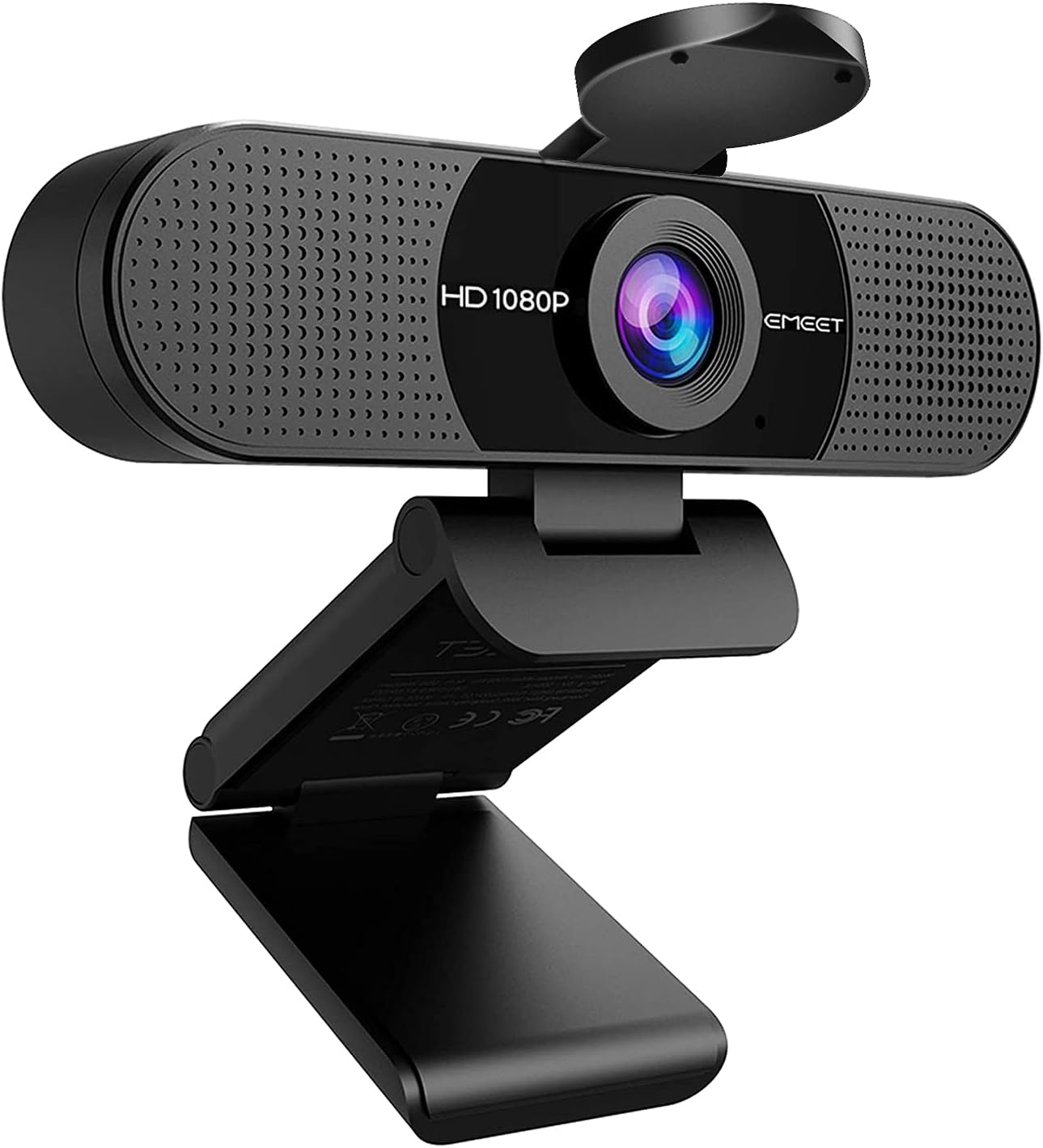
EMEET C960 1080P webcam
The volume product: 33,926 ratings at 4.4, and the one most offices standardise on. The consistent praise is not about image quality — it is that it is better than a laptop camera and it just works: plug in, pick it in Zoom or Teams, done. The privacy shutter is mentioned in review after review as the reason it replaces a laptop lid. The consistent complaint is colour, and it is specific: one four-year owner says the image is grainy and casts a green tint that no setting fixes, to the point that it became an office joke. Read the low-star reviews for colour, not for focus.
- USB-A plug, not USB-C — an owner’s request, and a real limitation on newer laptops
- privacy shutter — the single most-praised feature in 33,926 ratings
- green tint after years — one long-term owner’s documented failure; not a warranty case
- no software needed — works as a plain UVC camera on Windows, macOS and Linux

EMEET C60E dual-camera 4K webcam
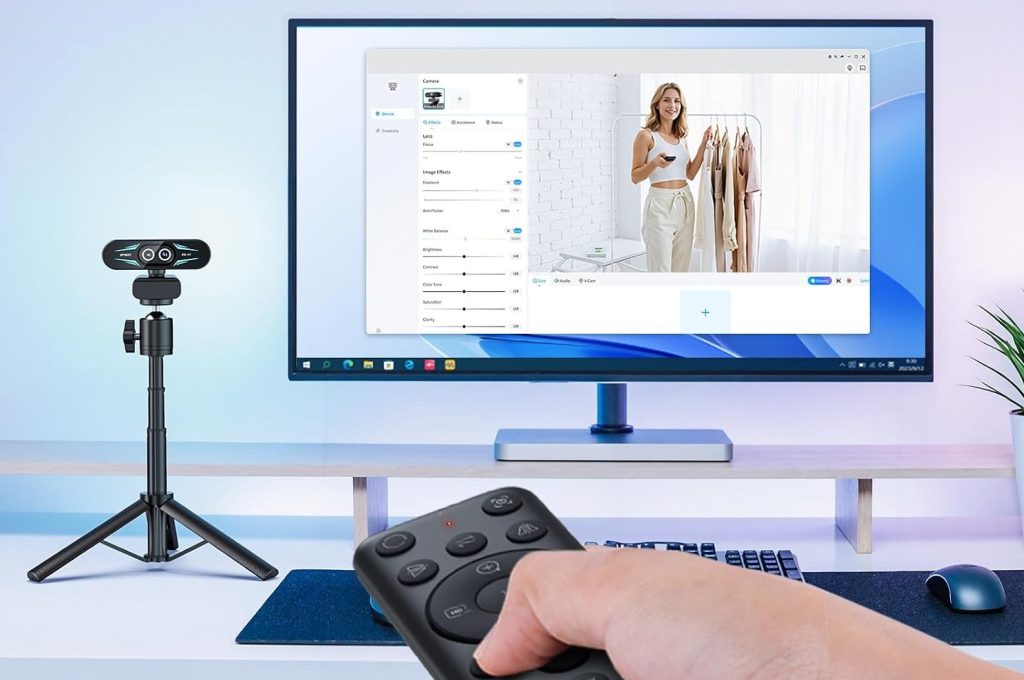
The interesting one, and the smallest sample here: 572 ratings. Two lenses on a moving carriage let you switch between a wide desk shot and a tight framing without moving the camera, with a physical remote for zoom, and owners who stream say that is worth the money on its own. The documented annoyances are about what is in the box rather than what the camera does: the remote ships without the two AAA batteries it needs, the lens cover arrives as a loose piece with no instructions, and a four-star says many remote buttons do nothing. One three-star from a professional streamer says the autofocus and the microphone are not up to paid work.
- two lenses, one mount — wide for a desk, telephoto for framing — switch without moving the camera
- remote needs 2 x AAA — not included; a small thing owners mention every time
- PDAF locks fast — no hunting when you lean in, per a five-star streamer
- not a broadcast camera — a three-star pro says autofocus and mic fall short of paid work

EMEET M0 Plus conference speakerphone
A different category pretending to be the same brand. Four mics and a centre speaker for a small room, USB and Bluetooth, and the reviewers who use it daily for calls rate the voice pickup and the noise rejection. It removes the headset, which is the actual benefit — one work-from-home owner who hated wearing one all day calls it a staple. The documented risks are on the USB side: a one-star reports it destabilised his Windows machine and a Corsair mouse, one four-star says frequent reconnection is needed, and another says muting on the puck does not show as muted in Teams. Volume is fine for a small room and thin for a large one.
- mute does not sync to Teams — the puck mutes audio; the app still shows you live
- one report of USB conflict — a one-star links it to a dead mouse and system lag
- reconnection complaints — a four-star says it drops and needs replugging mid-meeting
- small room only — owners say volume is thin in a conference room, fine at a desk
Pick by the port and the room, not the resolution
All three of these produce an acceptable image. What separates them is what they plug into and who is in the room — which is where the reviews actually spend their words.
You need a camera that survives being borrowed — C960 ($33.14)
33,926 ratings, a privacy shutter, no software. It beats a laptop camera and it is priced like a cable. Buy it for a desk you do not own and a laptop with a USB-A port.
You frame yourself on camera all day — C60E ($59.99)
Two lenses and a remote, so you can go wide for a desk shot and tight for a talking head without touching the mount. Budget for two AAA batteries and expect to teach yourself the remote.
The room is the meeting — M0 Plus ($49.99)
Four mics and a speaker for a small table, USB or Bluetooth. It gets you out of a headset. Check that your conferencing app honours its mute button before you rely on it.
Side by side
Prices, ratings and rating counts from the brand’s affiliate feed at time of writing.
| C960 1080P | C60E dual 4K | M0 Plus speaker | |
|---|---|---|---|
| Price | $33.14 (was $39.99) | $59.99 (was $69.99) | $49.99 (was $67.99) |
| What it is | One fixed 1080p camera, two mics | Two lenses on a carriage, 4K | Speaker + 4-mic array, no camera |
| Connection | USB-A, UVC, no driver | USB-A, needs USB 2.0 port | USB or Bluetooth |
| Best documented strength | Privacy shutter; beats any laptop camera | Wide/tele switch without moving the mount | Voice pickup; you stop wearing a headset |
| Documented weakness | Colour drifts green over years; USB-A only | Remote ships without batteries; autofocus not broadcast-grade | Mute does not sync to Teams; one USB conflict report |
| Rating history | 4.4 · 33,926 | 4.5 · 572 | 4.2 · 1,837 |
Not the right pick if… your laptop only has USB-C. The C960 ships with a USB-A connector, and an owner who otherwise gives it five stars says plainly that USB-C would be better. There is no USB-C variant in this lineup and no adapter in the box. On a modern ultrabook this means a dongle between you and your camera every single meeting, which is exactly the kind of friction that ends with the camera staying in a drawer.
Not the right pick if… you mute from hardware and live in Teams. One owner returned the M0 Plus for one reason: pressing mute on the puck does not register as muted inside Teams. The audio mutes; the app still tells the room you are live. If your meetings run on Zoom or Meet, the same test is worth doing in the first ten minutes. A speakerphone’s mute button is the entire reason to own a speakerphone, and this is the one control that does not travel.
Not the right pick if… your income depends on the picture. A professional streamer who otherwise praises the C60E’s image says the autofocus does not hold and the microphone is not good enough for paid work. A four-star on the C960 draws the same line from the other direction: work calls, family calls and recreational streaming, yes; professional video, no. These are very good $33-$60 cameras. They are not broadcast hardware, and no amount of “4K” in the title changes that.
Not the right pick if… you expect five years of the same colour. One owner’s C960 went grainy and green after four years and no setting would bring it back. That is one report among 33,926 ratings and it is still the most specific failure documented here. Buy it as a consumable that outperforms a laptop camera for a few years, not as a fixture. If longevity matters more than price, the C60E’s larger sensor and metal carriage are the more durable design.
Not the right pick if… you want a conference solution for a real conference room. Owners of the M0 Plus describe volume as thin in a large room and the unit as bulkier than expected on a small desk — one three-star calls it awkward to move around. It is a personal speakerphone for a home office, not a room system. Above about four people at a table, you want the daisy-chained models, and those cost three to five times as much.
What verified buyers say
Six verified Amazon reviews, paraphrased and attributed — the four-year colour drift, a streamer’s honest ceiling, the remote with no batteries, a professional’s verdict, a USB conflict, and a mute button that does not reach Teams.
The most useful negative review of the cheapest camera here, because it is about longevity rather than a dead-on-arrival. After roughly four years the image became grainy and took on a green cast across everything, and she could not find any setting — in the camera, in the conferencing app, anywhere — to correct it. Plug and play still works; the picture is what degraded. Her colleagues now refer to her green screen as a running joke, and she is buying something else. If you are buying this as a disposable $33 camera for occasional calls, this review does not apply to you. If you expect five years, it does.
The most honest framing of what a $33 camera is. He separates three buyers and answers each: a work-from-home person on video calls, yes; a private individual streaming to friends, yes; a recreational streamer, yes. A professional whose income depends on the image, no — it is not a broadcast camera and he says so before listing what it does well. His detailed notes go on to praise the microphone for calls and the wide angle, and he lands on the same conclusion every other sensible review does: it beats every laptop camera ever fitted, and it is not a replacement for a camera with a lens you can focus.
A four-star that functions as an unboxing warning. The camera works and the zoom is what he wanted, which is why it still gets four stars. Then the list: the remote arrived without the two AAA batteries it needs; the lens cover came as a separate item with no instructions, and he worked out by himself that the protective film had to come off to expose the adhesive; the documentation is split across languages so no single sheet covers the remote; and many of the remote’s buttons do nothing at all. None of it is a defect. All of it is what you discover after the return window, so read it before you open the box.
The counterweight to the five-stars. He streams for a living, rates the image quality highly, calls setup easy and the size convenient — and then draws the line: the autofocus does not hold and the microphone is not good enough, so anyone doing this professionally should buy up. For calls and casual streaming he thinks it is fine at the price. This is the review to read if you were attracted by “4K” and “dual camera” and assumed those implied a broadcast-grade device. They do not; they imply a very good $60 webcam.
The single worst outcome in this pool and worth reading in full. He bought the speakerphone to dictate into an AI assistant on Windows. Shortly after connecting it, his Corsair-controlled mouse stopped responding correctly, Windows became extremely laggy, and previously working software started failing; the microphone was intermittently not recognised at all. He returned it. One report is not a pattern, and hundreds of owners use this puck without incident — but if your desk already has a lot of USB peripherals and vendor software, this is the failure mode to watch for in the first week, while you can still return it.
He returned it, and still wrote a fair review. The speaker and microphone are good, the pickup is clear, and setup over USB took no configuration. The reason it went back: he mutes on the puck, the puck goes red, and Teams still shows him unmuted — so the one control he bought a speakerphone for does not talk to the app. He docks a single star and says explicitly that for other applications this would be a good product. If you live in Teams and mute matters, test this in the first ten minutes; if you use Zoom or Meet, ask the same question there.
Three desks these were built for
The hot-desk and the borrowed laptop
A camera that has to survive being unplugged, dropped and re-plugged into whatever machine is free today. The documented win: no driver, no software, a privacy shutter, and one owner who has dropped it more than once and still uses it.
The talking head that has to look intentional
You present, you demo, you hold things up to the lens. The documented win: a telephoto position that frames you without moving the mount, PDAF that locks when you lean in, and a remote so you can zoom while your hands are busy.
The eight-hour call day without a headset
Four mics on the table and a speaker instead of something clamped to your skull. The documented win: one work-from-home owner who hated the restrictive feeling of a headset all day and now leaves this plugged in permanently — with volume that is fine at a desk and thin across a big table.
FAQ
C960 or C60E — is the 4K worth double the price?
It is worth it for framing, not for pixels. The C960 at $33.14 and the C60E at $59.99 both produce an image that beats a laptop camera, and at normal meeting bitrates the 4K sensor is not the difference you notice. What you notice on the C60E is the second lens: a wide position for a desk shot and a telephoto position for a talking head, switchable without moving the mount, plus a remote for zoom. Owners who stream single it out as the reason to buy. If you sit still and talk on video calls, the C960 is enough. If you present, demo or hold objects up, pay the extra.
Will the M0 Plus work with Teams, Zoom and Meet?
It works with all three for audio — owners report clear pickup and working noise rejection in each. The one thing that does not travel is the mute button: a four-star returned his because muting on the puck did not show as muted inside Teams. That is a software-integration gap rather than a hardware fault, and it may be fixed in firmware by the time you read this. Test it in the first ten minutes on whichever platform you actually use, because after the return window this stops being a fixable problem and becomes your problem.
Does the C960 need any software or drivers?
No. It is a UVC camera, so Windows, macOS and Linux see it as a plain video device. Owners on all three report plug-and-play, including one who uses it on Linux and Windows and with an Android phone. That is the reason it survives in offices: there is nothing to install, nothing to license and nothing to break in an update. The trade is that there is also nothing to fix the colour with — the owner whose image went green after four years could not correct it in the camera or in the conferencing app, because no control surface exists.
Is the C60E's remote actually useful?
Partly, and the reviews are unusually consistent about which parts. The zoom works and that is what most buyers wanted: one four-star bought it specifically for adjustable zoom and kept it for that alone. The rest is rough — the remote ships without the two AAA batteries it needs, the documentation is split across languages so no single sheet covers it, and a four-star reports that many buttons do nothing. Treat the remote as a zoom dial with extra plastic rather than a control surface, and you will not be disappointed.
Which one should I buy for a home office with a shared room?
The M0 Plus if the problem is that other people cannot hear you — four mics and a speaker solve the room, and it gets you out of a headset for eight hours a day. The C960 if the problem is that you look like a hostage video on calls, which is the more common complaint and the cheaper fix at $33.14. Buy both if both are true, since together they cost less than a mid-range camera alone. Skip the C60E unless you specifically need two framings from one mount, because its sample size is 572 ratings against the C960’s 33,926.
How was this page put together?
We are an independent review site. Specs, prices and coupon states come from the brand’s official affiliate feed; review summaries are paraphrased from the public Amazon review history of each product, negative reviews included. If you buy through our links we may earn a commission — it does not change which reviews we quote or what they say.